

System status and platform health
The degraded banner
Section titled “The degraded banner”When one of the platform’s own health checks fails, every page shows a red banner: The platform has been degraded since …. Backups may not run or be stored as they should. Click System status in the banner to see which check fails. The banner and its alert clear themselves once every check passes.
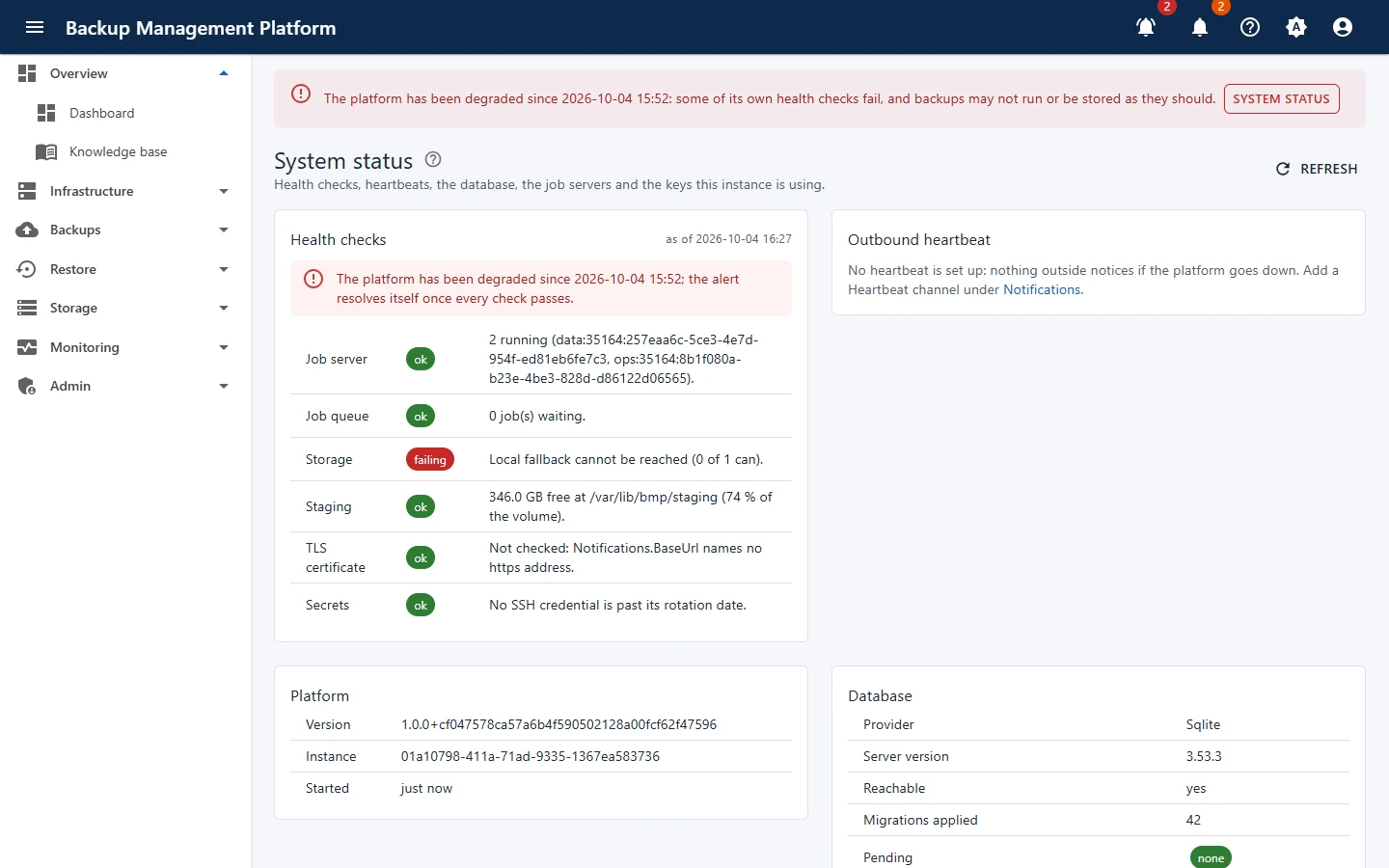
On this screen:
- The degraded banner, on every page
- The platform’s own health checks
- Outbound heartbeat
- Version and instance
What System status shows
Section titled “What System status shows”| Section | Tells you |
|---|---|
| Health checks | Each check with its state and the time it was read. |
| Outbound heartbeat | Whether a heartbeat is set up, and when it last pinged. |
| Platform | Version, instance id and start time. |
| Database | Provider, server version, whether it is reachable, migrations applied and pending. |
| Jobs since this restart | Whether start-up reconciliation finished, job servers and queues. |
Platform health in three steps
Section titled “Platform health in three steps”-
Read the failing check’s message on Admin › System status
-
Fix the cause
Usually storage (a target unreachable or full), the database, or the master key. See Fix common problems.
-
Refresh - the check, banner and alert clear when it passes