

API tokens and automation
-
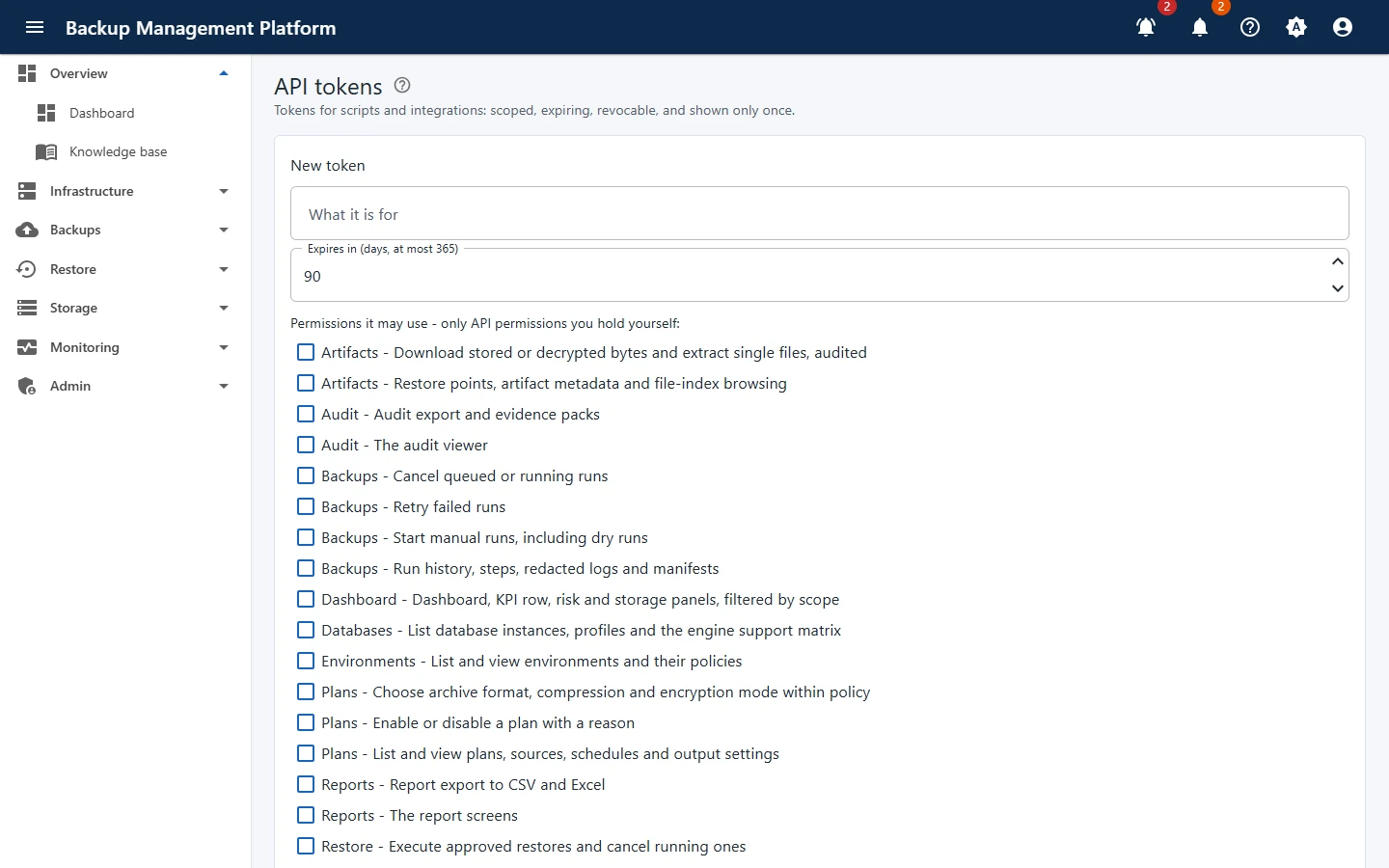
Open Admin › API tokens and click New token
-
Describe What it is for and set Expires in (days, at most 365)
-
Tick the permissions it may use
Only API permissions you hold yourself are offered. The token is narrowed again at every request, so it never outlives your own rights.
-
Issue the token and copy it now
It is shown this once and cannot be retrieved.
Look after tokens
Section titled “Look after tokens”- The list shows each token’s name, prefix, scopes, expiry, last used and state.
- Revoke a token the moment it is no longer needed or may have leaked.
- Use one token per system, so revoking one breaks nothing else.