

Complete the first-run checklist
Until every item is done, the dashboard shows Setup n/8 complete with a chip per open item. Click a chip, or Open the checklist, to go straight to the screen that fixes it. The list updates itself as you work.
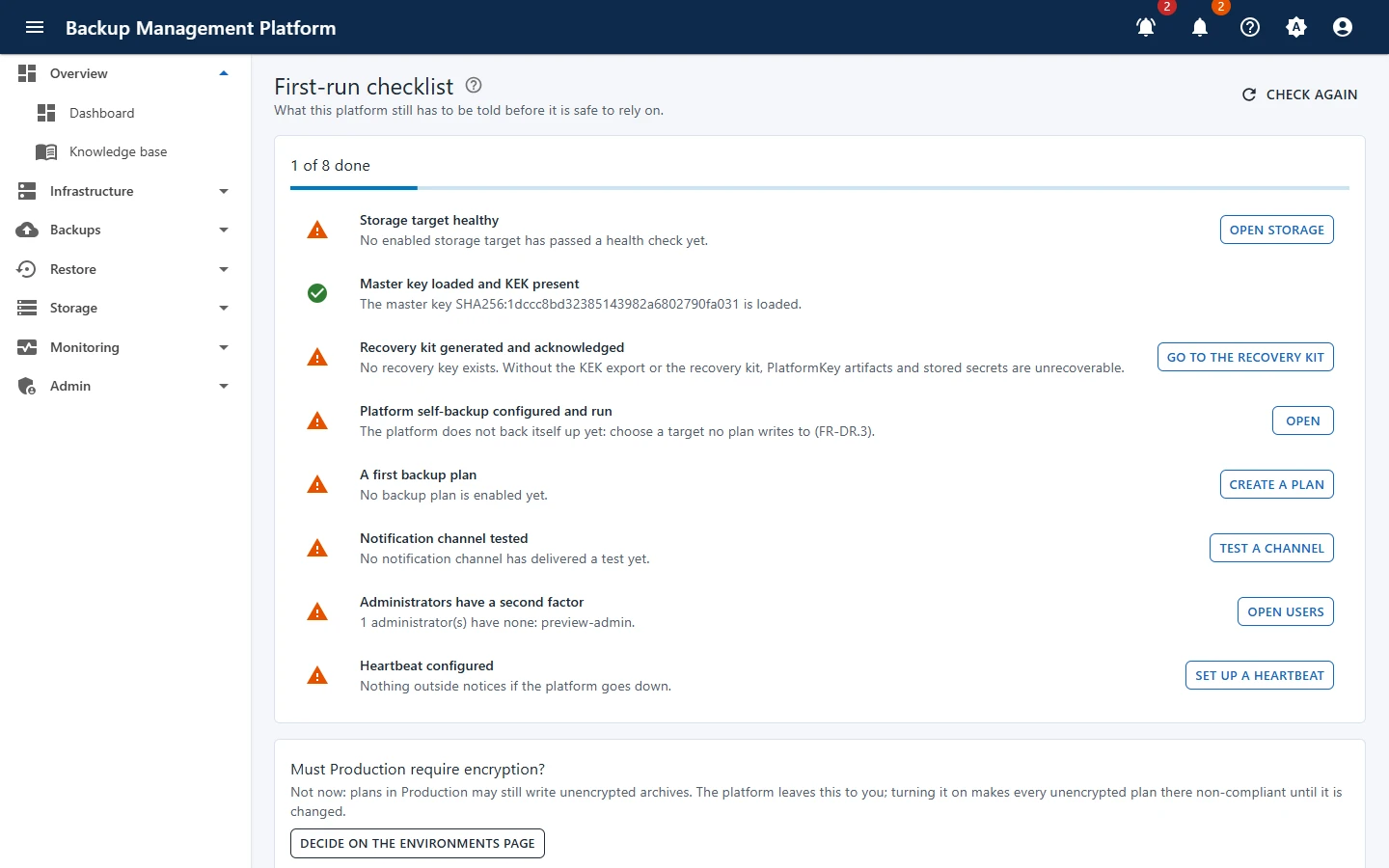
| Item | Why it matters | Where to fix it |
|---|---|---|
| Storage target healthy | Backups need somewhere to go that is reachable and writable. | Storage targets |
| Master key loaded and KEK present | Without the master key nothing encrypted can be read. | System status |
| Recovery kit generated and acknowledged | The only way to decrypt backups if the platform itself is lost. | Keys & recovery kit |
| Platform self-backup configured and run | The platform’s own database and settings must survive a disaster too. | Self-backup |
| A first backup plan | Nothing is protected until a plan is enabled. | New plan |
| Notification channel tested | Failures must reach a person, not just a screen. | Notifications |
| Administrators have a second factor | Administrator accounts can read and delete everything. | Users |
| Heartbeat configured | Something outside must notice if the platform itself stops. | Notifications |
A good order
Section titled “A good order”-
Storage first
Add a storage target and wait for its health check. Guide: Add a storage target.
-
Keys next
Generate the recovery kit and store it offline. Guide: Keys and the recovery kit.
-
Protect the platform
Set up the self-backup on a target no plan writes to. Guide: Back up the platform itself.
-
Be told
Add a notification channel, send a test, and configure a heartbeat. Guide: Notification channels and rules.
-
Back something up
Create and run your first plan. Guide: Your first backup in six steps.