

Alert bell
In the app bar, with the number of open alerts in your scope. Click it to open Monitoring › Alerts.
Alert bell
In the app bar, with the number of open alerts in your scope. Click it to open Monitoring › Alerts.
Notification centre
The plain bell lists recent events for you. Mark all read, or jump to All alerts.
Menu badge
Monitoring › Alerts shows the same count in the menu.
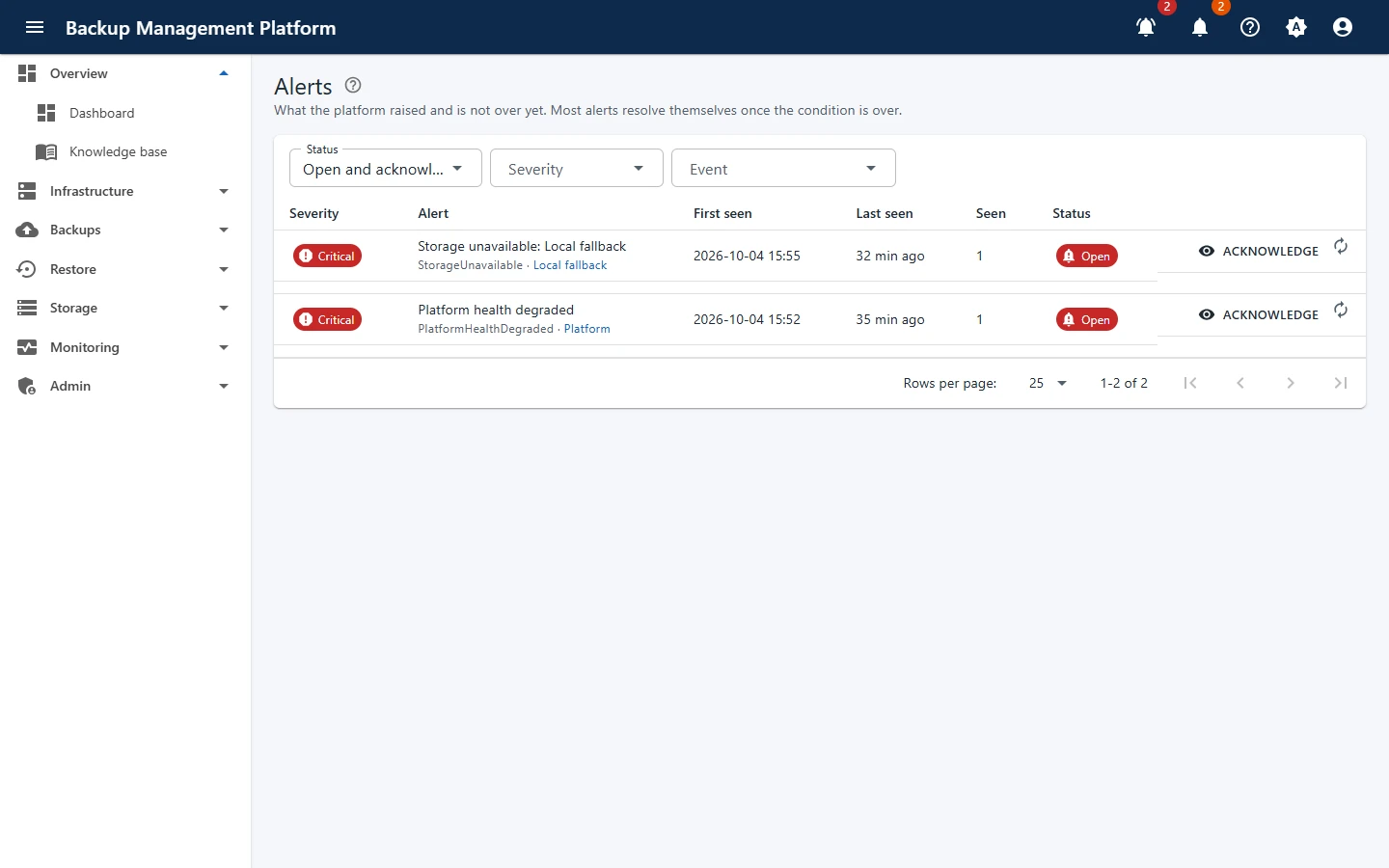
Open Monitoring › Alerts
Open and acknowledged alerts show first. Filter by state (Open, Acknowledged, Resolved, All) and severity (Warning and up, Critical).
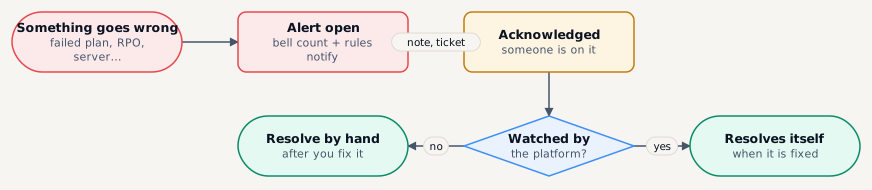
Acknowledge it
Add an optional Note - a ticket number, or who is looking into it. Your name and the time are shown to everyone.
Fix the cause
The alert links to what it is about - a plan, a server, a target.
Let it resolve
Alerts the platform watches - a failing plan, an RPO breach, an unreachable server or target, a degraded platform - resolve themselves. Resolve the others by hand.